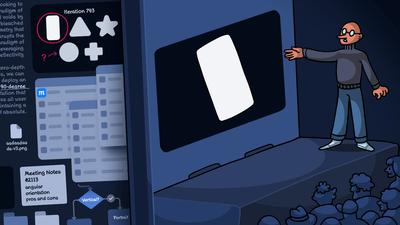
At Moqups, we say we’re the perfect app for ‘hidden work’. But what is hidden work anyway?
Simply put, if you work in app design, but have a really hard time explaining what you do to your family and friends at BBQs and dinner parties, then you’re probably doing hidden work!
For us, ‘hidden' can mean a whole bunch of related things: behind-the-scenes, invisible to the general public, hard to define, under-discussed, under-represented and – occasionally – undervalued.
But chances are, you’ve never heard anyone use that specific term. And that’s not surprising, since we coined it internally to help our team describe the work of so many of our biggest clients.
These customers work in a wide variety of fields, and produce a very diverse range of projects, but they do have a bunch of commonalities – especially in what they want from an app – and these requirements have surfaced again and again in our conversations with them.
At Moqups, we've spent twelve years building tools for exactly these kinds of users, and we needed a short-hand, umbrella term to describe both the type of work that they do, and the industries that they work in.
Over time, we've come to think of this hidden work as falling into three overlapping categories – each one a little more ‘hidden' than the last.
Hidden behind the design
This is the kind of hidden work that most design professionals are familiar with, but that most people never encounter. It's everything that happens before a design takes shape. This includes, but is not limited to, user research, information architecture, wireframing, user flow mapping, data modelling, network diagramming.
Experienced teams spend a lot of time on this part of the workflow: brainstorming ideas, documenting requirements, exploring competing solutions, and checking with both clients and end users to make sure they’ve got things right. This process involves a lot of discussion about a feature’s purpose and functionality. It also involves a lot of tough decisions about what to leave in and what to leave out. A recent Reddit comment on r/design captured it perfectly:
Deeper UX thinking is usually when you start noticing invisible stuff like cognitive load, habits, emotional reactions, onboarding fatigue, decision paralysis, accessibility, all the annoying human behavior that makes perfect wireframes fail in real life. The funny part is the deeper you get into UX the less it feels like graphic design and the more it feels like psychology mixed with systems thinking and detective work.
This is the work that determines whether an app feels intuitive or infuriating – but it’s also the kind of effort that’s completely invisible in the finished product. When a banking app lets a customer check their balance in two taps, that customer can’t possibly imagine the dozens of wireframe iterations, user-path diagrams, and stakeholder reviews that made that simplicity possible. The hidden empathy, the streamlining, the problem solving – all of this just disappears (when successful) into the seamlessness of the experience.
Hidden from the public
This is the UX work that’s a big part of public life, but often flies under the radar because it isn’t public-facing. It involves design, but not the sort of layouts you normally see on Dribbble or featured in portfolios.
We’re talking about internal hubs for insurance companies, retail outlets, health networks, universities, rental companies, financial organizations, municipalities and governments. Organizations use these back-office websites to manage data about customers, staff, and suppliers – and their employees rely on them every minute of every day.
It’s the stuff you see when an agent behind a desk turns the monitor around to help verify your information, or walk you through the process. Behind that brief glimpse is a whole ecosystem of data-entry interfaces, case management tools, claims processing dashboards, inventory systems, and compliance tracking.
These data-heavy portals can be fiendishly complex, and may involve thousands of screens. Of course, someone had to design all those screens. Someone had to wireframe the layouts, map the user flows, document the requirements, and get sign-off before development could begin.
For teams that work on sites like these, accuracy is often far more important than aesthetics. The artistry here isn’t in pretty graphics or cool animations, but in the scaffolding of information so that mission-critical data is always right there, at the operator’s fingertips.
Hidden in heavy industry
This is the design and development work that takes place inside industries that are largely invisible to the wider world – despite the fact that they keep society running!
Logistical management, electrical generation, fuel storage and testing, water treatment, fleet tracking and maintenance, waste processing, mining operations, and container shipping.
These foundational, load-bearing industries are essential to the structure of our daily life, but they operate almost entirely outside the everyday experience of those of us who actually depend on them.
And all of these industries run on software. These kinds of interfaces may monitor a wind farm, dispatch a fleet of vehicles, monitor a water supply, or coordinate movements of goods across the globe. But one thing all these apps have in common is that they’re filled with data-dense screens built to precise technical requirements.
These are operational apps where aesthetics take a back seat to tables, status indicators, alerts, and real-time data. They're built for control rooms, field tablets, distribution centers, and factory floors – all environments where readability matters far more than visual polish. And these tools are used around the clock by people who need them to function clearly and precisely – every time.
The design work behind these systems is some of the most challenging in the field but, because it’s hidden deep in industrial infrastructure, it rarely gets talked about. For every well-known consumer app that’s launched with a high-profile PR campaign and a stylish website, there are hundreds of operational tools being quietly built and maintained in these sectors.
The people who design and build these interfaces are doing some of the most complex work in UI/UX, but they're doing it in fields that rarely make headlines – and for users who will never write a Trustpilot review of their efforts.
Why ‘hidden’ matters
Why are we so obsessed with ‘hidden’ work – so much so that we gave it a name?
Everybody broadly understands what web design looks like. They may have even built a layout for their own blog, or put together a website at work. And most people have a general sense of what coders do – they've seen it on TV, or they've peeked at the source code of a web page.
But very few people stop to think about how many screens and user paths they interact with in a single day. The payment interface at the fuel pump. The banking app on their phone. The intranet they use at work to submit a request. Someone had to design each of those experiences – had to figure out what data appears where, how navigation works, what happens when something goes wrong. That's hidden work.
And the further you delve into operational and industrial domains – logistics dashboards, compliance management systems, healthcare intake workflows, government permitting portals – the more hidden the work becomes.
Why is this kind of work hidden?
Part of the answer is that the tools and workflows that dominate the design conversation – ones featured in tutorials, showcased at conferences, and promoted by the big design platforms – are largely built with a different kind of work in mind. They tend to focus on smaller, more design-driven projects with relatively compact screen counts, strong visual identities – and teams where a trained designer is driving both the look and layout of the product.
That's perfectly valid. But it doesn't describe the reality for a huge number of teams building software right now.
Many of those teams work on projects with hundreds or thousands of screens rather than dozens. Their core challenge is not how to craft an elegant layout, but how to represent dense, statistical data in a clear and legible way. It’s work that demands both expertise and experience – and where generic, AI-produced content simply won’t suffice.
That’s why these teams include compliance specialists, domain experts, and operations leads. These are the folks who have the practical knowledge to determine what gets built and why – but who may not have the time or interest in learning a complex design application. And the stakeholders and end users who need to review and sign off on these kinds of wireframes tend to be far removed from the world of design.
These teams have been underserved – not deliberately, but as a side effect of an industry that tends to focus its attention on the more visible and aesthetic end of the design spectrum.
We chose the word ‘hidden’ intentionally, because it describes something that the people doing this work already feel but don't usually have a name for.
What hidden work needs from a tool
At Moqups, we didn't sit down twelve years ago and decide to build an app specifically for ‘hidden work’. What happened was much more organic than that.
Over time, teams doing this kind of work kept finding us, and what they told us about their needs shaped how our own product evolved. The features they asked for, the pain points they shared, and the workflows they told us about – all these have made Moqups what it is today.
And through that evolution, here's what we've learned about the needs of these teams.
They need to get to work immediately
In most hidden-work environments, the people building wireframes and mapping processes are not full-time designers. They're product managers, business analysts, solutions architects, implementation consultants, compliance officers, or domain specialists.
No matter the role, they all need a visual way to quickly communicate what they're thinking. They might open a wireframing tool every day, or come back to it after a pause of a few weeks when the next project kicks off. Either way, they need a tool that is intuitive and ready to get going when they are.
That’s why Moqups comes with thousands of built-in stencils, icons, and UI kits for web, iOS, and Android – all preloaded, all searchable, all drag-and-drop. There's no time-consuming setup required, no downloading separate component libraries, no configuring a workspace before you can place your first object on the page.
This immediacy matters if, for example, you're a product manager at an insurtech company and need to sketch out a new claims process before tomorrow's standup. It also matters when you're onboarding a new analyst who has never used wireframing software before. If your communication tool requires training before someone can contribute, it becomes a bottleneck. If everybody can just open it and start working on the same day, it becomes a shared language the whole team can use.
They need to work with data, not just layouts
A lot of wireframing tools were built primarily for the kind of consumer-facing app design that prioritizes whitespace, uncluttered menus, and simple visual hierarchies. That's a valid design approach, but it's a different discipline from what hidden-work teams typically need.
The projects built with Moqups can often look quite different. They might include table layouts with dozens of columns, dashboard screens packed with graphs and status indicators, or forms with conditional logic that branch into hundreds of paths. And they often represent interfaces where legibility in situ matters much more than visual elegance – because the end-user may be monitoring equipment from the mine office, or tracking patient data in the operating room.
This is why Moqups' data visualization capabilities go well beyond basic grayscale placeholders. Our table stencil lets you mock up complex data grids by adding rows, columns, headers, and content. Charts and graphs accept real data via CSV import, so teams can wireframe a dashboard using actual figures – and then use the quick chart switcher to test if a bar chart, line graph, or pie chart best displays these metrics.
For teams building operational dashboards in energy, logistics, healthcare, or financial services, these aren't secondary features. They're the core of their work, and we’ve built this functionality specifically for their kind of workflow.
They need structure for large, complex projects
Hidden-work projects tend to be big. Not big in the sense of a project that has dozens of beautifully art-directed screens that are spread over an infinite canvas; more like hundreds of screens, each with different data states, connected by branching user flows that span an entire business process. Projects like…
- An insurance claims lodgement system using dynamic forms where every answer triggers different follow-up questions, and the resulting decision tree might involve thousands of steps.
- A municipal website that offers both a public-facing and back-office portal for everything from maintenance requests to property tax payments, recreational bookings, employee scheduling, and injury reports.
- A fuel logistics company that needs to map supply routes, track vehicles, monitor storage, schedule sampling, assign agents, record data, certify results, and report to stakeholders.
Work at this scale can get cluttered on the kind of infinite canvas that most design apps prefer. But Moqups’ page system is different, and purpose-built for exactly these kinds of complex projects.
With our page structure, your team can dedicate a page to each screen, nest pages, or organize them within folders to create hierarchies – and then apply colored labels to categorize pages or track status. This system can help your team bring clarity to chaos, and make even the biggest projects navigable.
They need non-designers to participate
This is perhaps the most important point, and one that makes hidden work different from more conventional design. In hidden work, the people who understand the domain are very rarely trained designers. Without their input, the product can fail at its most essential task: effectively supporting the people who depend on it.
Especially in safety-critical industries, getting something wrong can be catastrophic – so teams really do need to 'sweat the small stuff'. If stakeholders can't work on the project itself, then feedback happens through intermediaries – and becomes a game of broken telephone, with details lost in the process.
That’s why a visual communication tool should never be a barrier to non-designers. It needs to be intuitive enough that a team can include all stakeholders, and hear all voices.
That’s exactly how and why we built Moqups. Comments and annotations go right on the designs. Sharing is as simple as sending a link. And our UI is easy enough that new team members can just open it and start working.
They need more than a wireframing tool
Hidden-work projects rarely fit into a one-tool-only category. Within a single project a team might need a whiteboard to brainstorm ideas, user flow diagrams to map the process, wireframes to design the screens, ERD or UML diagrams to document the data model, and a clickable prototype to demonstrate a solution – all before a single line of code gets written. In a specialized-tool workflow, that's five different apps amounting to five subscriptions, five sets of permissions, five learning curves, and no single source of truth.
Moqups combines whiteboarding, diagramming, wireframing, and prototyping in one workspace. We've written at length about why we believe in the all-in-one approach, and also about the hidden costs of tool fragmentation, so we won't rehash the argument here. But for hidden-work teams specifically, the benefit goes beyond convenience: it means that all your artifacts and documentation can live in the same project, immediately connected and easily navigable. That way, when your dev team opens the project, they see the full context – not fragments scattered across four different apps.
Moqups for hidden work
If your team does the kind of 'hidden work' we've just described – even if you've never called it that – and you haven't tried Moqups yet, we'd love for you to give it a try. You can sign up for free, with no credit card required.
We think you’ll see what so many of our current users have discovered: that Moqups is the perfect tool for cross-function product teams working on complex logistical projects.
And, if you are already a Moqups subscriber, and working in one of these backbone industries or industrial sectors, we’re always looking for case studies and feedback about our app. So, please reach out to support@moqups.com. We’d love to hear from you!