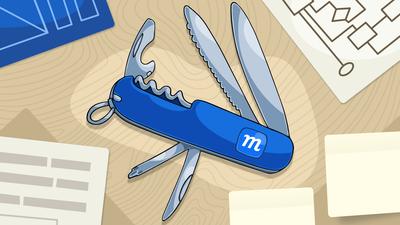
A reviewer recently called Moqups “the Swiss Army Knife of design tools: fast, lightweight, and surprisingly robust.” It’s a great comparison, and one we made ourselves way back in 2016 when we first added diagramming to our initial wireframing and prototyping features.
At the time, we wrote a short fable, The Curious Case of the Bent Blade. It explained that we were expanding Moqups’ feature set because new functionalities were essential to our users’ workflow and we wanted to meet their needs. Eventually, we added whiteboarding tools for exactly the same reason.
Meeting the needs of users was also the intent of the original Swiss army knife too. It was made to help field soldiers open cans of food and maintain their rifles. The knife still does that for the Swiss military, but it also helps campers around the world and NASA astronauts on space flights.
That’s the advantage of a great multi-purpose tool. It meets you where you are, and provides precisely what’s required to accomplish a task. As we like to say at Moqups, “all the features you need, and none that you don’t”.
In this post, we’re going to do a deep dive into both the advantages of all-in-one tools and the hidden costs of specialized apps. We'll also bust a few myths about multi-purpose apps. Finally, we’ll look at how Moqups was built to meet the specific needs of product design teams.
- What is an ‘all-in-one’ tool?
- How an all-in-one tool saves you time and money
- A mismatch between tools and teams
- Busting myths about all-in-one tools
- How Moqups multi-purpose approach suits product management
What is an ‘all-in-one’ tool?
Let’s talk for a second about what all-in-one tools are and what they aren’t. No one is advocating for a bloated app that’s packed with unwanted features. Nor a dog’s breakfast of unnecessary functionality filled with overlapping menus and whack-a-mole windows.
What we are talking about is an app whose features have been carefully curated – and its UI refined – so that it perfectly matches a specific workflow. Think of how a carpenter’s toolbox or a surgeon’s Mayo stand guarantees that everything they need is near at hand and instantly available so they can maintain their focus and complete their job.
In the world of product management, that’s Moqups. We’ve built an app so your team can brainstorm and strategize, document your requirements, sketch out designs, and mock up prototypes without ever launching another tool. That’s what we mean by all-in-one.
Of course, for every step in a product's evolution, you can find specialized apps that focus on that particular stage. For instance, Miro specializes in brainstorming, Lucidchart in diagramming, Balsamiq in lo-fi wireframing, and Figma in hi-fidelity design. But, we believe that most product teams can benefit from an all-in-one solution like Moqups as their core visual communication tool. And here are the reasons.
How an all-in-one tool saves you time and money
The benefits of having a team wide – or company wide – visual communication platform come down to three main arguments: cost, accessibility and focus.
One tool, less overhead
Let’s start with cost… and not just financial cost. Obviously having one subscription is less expensive. But there’s also less administrative overhead. Instead of managing licenses, permissions, billing and renewal dates across multiple tools, teams get one admin panel and one invoice. That allows for more predictable budgeting, and avoids the shock of sudden per-seat increases across multiple apps.
Another saving, and something we hear repeatedly from our clients, is that onboarding requires less time and fewer resources. There’s only one tool to master, and Moqups is also famously easy to learn. As a product lead said in a recent case study: "When people join my team who have never used Moqups before, I just say, 'Here's your account' – and then they don't need any help onboarding. They just start doing stuff. That's it."
A Forrester analysis estimated organizations save 15–20% on total technology costs when consolidating tools effectively. - Forrester analysis cited in Monetizely article.
More voices, faster alignment.
The whole point of an all-in-one app is that it avoids the steep learning curve of specialized tools. Of course that makes for quicker training. But it also means that you can welcome more voices into the process. That includes team members and stakeholders who may lack experience with design software, but have the required domain expertise for the product itself.
Accessibility is especially valuable in industries like energy, healthcare, logistics and fintech where the people shaping a product aren't just designers. In these fields, a lot of product design involves systems engineers, solutions architects, business analysts, product owners, implementation consultants, and subject-matter experts.
And that’s just the core team. There’s also a wide range of other stakeholders who may also need to participate. In the design of complex web portals and mission-critical apps, clients and end-users often get involved to review wireframes, validate flows, and sign off on requirements. These kinds of contributors need a platform that's easy to use, without weeks of training. Using an accessible tool that keeps everyone connected means faster consensus and fewer expensive surprises downstream.
Less context switching, more momentum.
Every project manager knows how important it is to have a single source of truth for the team. That way, as the project evolves, everyone knows where to go to find the latest iteration of requirements, layouts, or flows.
But, if team members still have to jump between different apps to build those iterations, momentum can still be lost. The cumulative effect of that context switching – one app for whiteboards, one for diagrams, one for wireframes – is called ‘tool fatigue’ and it has a real impact on focus and productivity.
Workers switch between tabs, apps, or platforms an average of 33 times per day, with 17% switching more than 100 times. 22% of them lose 2 or more hours per week to tool fatigue. – Lokalise Tool Fatigue Productivity Report, Feb 2026
This is an even bigger issue where brainstorming, planning and design are part of the same project. Especially within cross-functional teams, work doesn’t happen in separate time boxes: ‘now I’m designing’, ‘now I’m planning’, ‘now I’m managing’.
Ideally, team members want to slide seamlessly between types of tasks, and bring their workmates along in that process. With an all-in-one tool, that can happen. Everything your team needs to build a product can live in the same app, breaking down silos to keep everyone and everything connected in the same workflow.
A mismatch between tools and teams
Specialized apps exist for good reason and no one is arguing against their utility or their efficacy. Professional designers will want to use Figma for pixel-perfect layouts. And database architects may prefer Lucidchart’s dedicated diagramming features. Obviously, teams with deep specialists should equip them accordingly.
The problem isn't specialization itself. It's when the entire team – including the non-specialists – is expected to work across multiple, complex tools that were intentionally designed for experts.
There are lots of cross-functional teams where product owners, business analysts, safety engineers, and client stakeholders need to collaborate on product development. This is especially the case in medical, industrial, and logistical fields where domain expertise may be more important than design skills. And where accuracy trumps aesthetics.
The hidden cost of specialized apps
An insurtech company recently moved their whole team to Moqups after realizing that Figma's complexity was holding them back. Team members who weren't experienced designers found themselves wrestling with the interface instead of focusing on the product – and important conversations about functionality were getting lost in the noise.
In this case, the company switched apps because their employees were honest and vocal about their frustration. The worst-case scenario is when team members don’t complain, or even ask for help – either because they’re embarrassed, or because they don’t want to bother the team.
This shame is the hidden cost of specialized apps, and one that doesn’t show up on any dashboard. And it isn't just lost productivity, it's also lost input. If a team member has a hard time using a tool because it's too complex, they tend to disengage. And that means the team loses their perspective, their domain expertise, their ability to catch problems early.
Discussions happen and decisions get made without important voices providing feedback. And requirements get signed off without the stakeholders who might have spotted gaps. That's a cost that compounds silently over the life of a project.
Busting myths about all-in-one tools
All-in-one tools tend to attract more than their fair share of criticism. That's not surprising if you think about it. A single multi-purpose app can potentially replace three or four specialized competitors. That's three or four companies with a vested interest in convincing teams that the all-in-one approach is fundamentally flawed. So it's worth examining some of the most common myths – and checking whether they're actually valid and hold up to scrutiny.
Myth 1: "All-in-one means jack of all trades, master of none."
Breadth of functionality is not inherently a weakness. What matters is whether the range of features was developed with intent, and to serve a coherent workflow. A bad all-in-one tool is just a bad tool – the same way a bad specialized tool is just a bad tool.
The best all-in-one tools aren't built by adding random capabilities. They're shaped by users who push the tool in new directions by trying to do things inside the app that it doesn't yet support. They improvise workarounds because the alternative of switching apps and losing context is worse than the hack.
If a tool's developers pay attention to this kind of feedback, and respond to it thoughtfully, the result isn't bloat. It's a tool that fits users' workflow like a glove. Moqups has spent over twelve years doing exactly that – listening, testing, and building the features that product teams were already reaching for.
Myth 2: "Specialized tools always deliver better results."
In their specific domains, sometimes they do. But specialization often comes with its own set of limitations. Balsamiq deliberately stops at low-fidelity, so teams outgrow the app when a project needs to evolve. Miro's wireframing capabilities feel like an extension of its whiteboard – good enough for rough sketches – but lacking fundamental design aids like rulers, measurement guides, and resize constraints. And Lucid approaches wireframing from a diagramming mindset, so its formatting options are very limited,and can feel restrictive.
In each case, the tool does one thing well. But the moment your work extends beyond that one thing, you're forced to buy, learn, and manage a second tool, and then a third. After a while, your team is left to juggle a bunch of apps, each with its own limitations, its own learning curve, and its own subscription. At that point, whatever you gained in depth, you've lost in the fragmentation of your workflow. And that won’t produce better results.
Apps like Adobe and Figma try to mitigate this drawback by bundling separate apps into a suite of tools. But just because they share a brand, that doesn’t mean they’ll play well together – just try to copy/paste text between Photoshop and Illustrator!
Myth 3: "More features means more complexity."
This is probably the biggest myth. A good all-in-one app should actually be the antidote to complexity. The whole point is to be easier to use than a specialized tool. At Moqups, our trick is to add only the functionality that most users need. And then to make the UI consistent, across the app, so that learning one part of the tool teaches you how to use the rest.
As one user recently said about Moqups: "It's very simple to get started. But it's also pretty powerful. As you use the app more, you figure out how to do more things." The goal is an app that’s simple to learn, but with capability – not complexity – that reveals itself as you need it.
How Moqups' multi-purpose approach suits product management
As you can probably tell by now, we believe in and are proud of our app’s capability as an all-in-one tool for product design and management. Here’s a quick list of how and why we think Moqups might be a good fit for your team:
Built from wireframing outward, not bolted together: Moqups started as a wireframing tool in 2012 and grew its capabilities in direct response to user behavior and feedback. Users were already building diagrams inside Moqups with workarounds before native diagramming was added. Every capability exists because users were already trying to do it inside the tool.
Everything you need and nothing you don't: Moqups covers the complete product design workflow: whiteboarding for brainstorming; wireframing for early-stage design; diagramming for UX flows, ERDs, UML and network diagrams; hi-fi design and prototyping for validation and presentation; plus planning and project management frameworks. These aren't random features that we’ve tossed together. They’re the things that product teams actually do, often within a single workday.
Designed for the whole team: That’s not just designers, but PMs, BAs, architects, developers, and non-technical stakeholders like clients and end-users. Our interface is simple enough that non-designers can contribute right away, which guarantees that people with domain knowledge aren't locked out of the design process.
Pre-loaded and ready to go: All stencil libraries, icon sets, UI kits, and diagram blocks come built-in. No plugin hunting, no community imports, no paywalled basics.
Purpose-built for complex projects: Charts, graphs, tables, and dashboard wireframing capabilities, together with structured page management (nesting, pinning, color-coded status labels) makes Moqups ideal for data-heavy projects with hundreds of screens.
Low to high fidelity without switching tools: Start rough and refine as you go. No ceiling that forces you into a second tool when the project evolves and matures.
Constraints, components, and collaboration: Syncing components, resize constraints, sticky commenting with assignment and tracking, real-time editing, and team roles. These are features that separate a mere quick-sketch tool from one where your team can easily manage complex, evolving projects.
For more than a decade, Moqups has proven itself with more than 2 million users in the industries that need us most.